Store views: Customer opened a store detail page. Data source: store_viewed analytics events.
How it works
Business analytics for local businesses
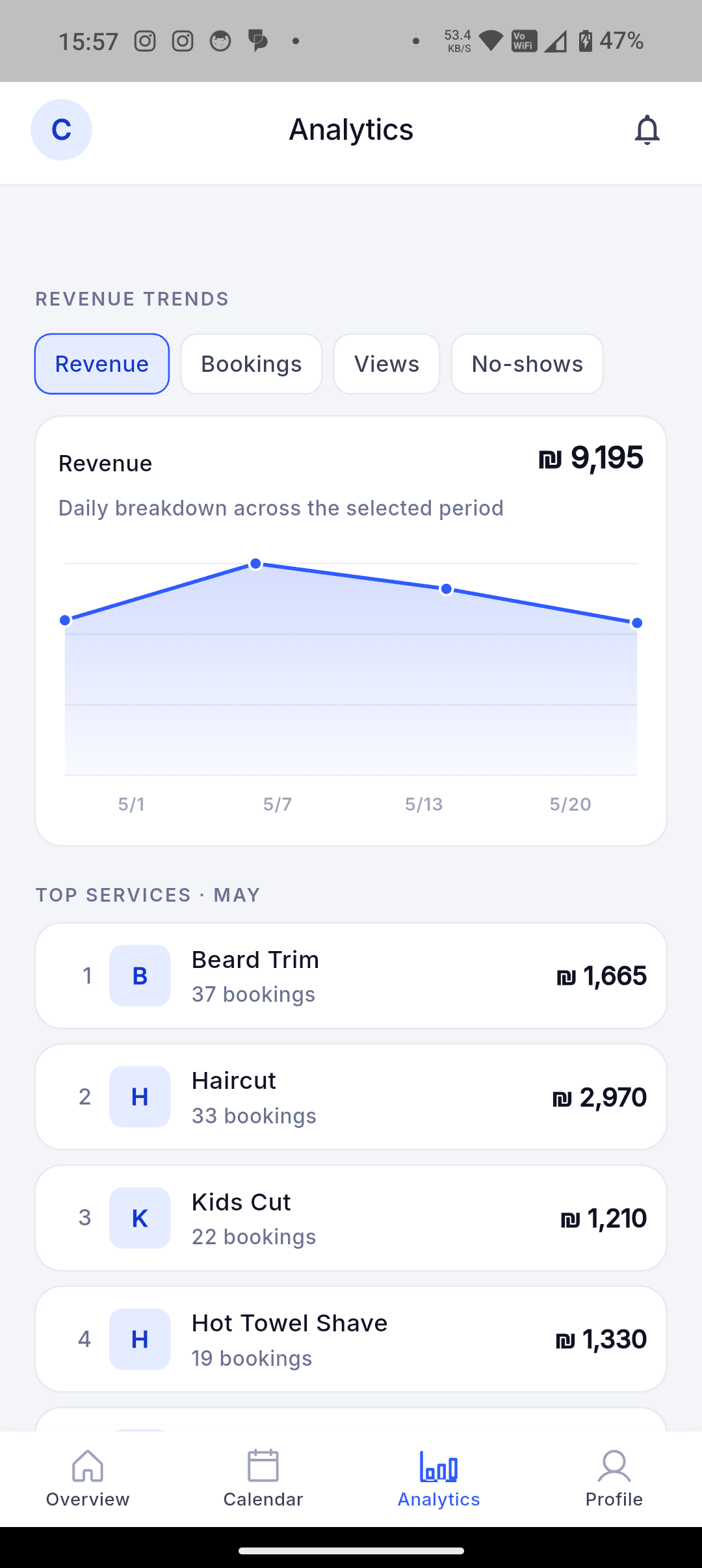
Track store views, impressions, booking attempts, successful bookings, conversion, completed activity, cancellations, no-shows, customers, and traffic sources.
Dorak helps owners see which services, products, sessions, trips, sources, and dates create activity. The analytics are operational signals, not unsupported promises about growth or revenue.
Best fit
Use this when a business owner wants to know what customers try to book, which services create activity, and how performance changes over time.
Customer workflow
- Customers view businesses, start booking or request flows, and complete supported actions.
- Those events become aggregated business signals instead of private claims about individual behavior.
- Businesses can understand demand without relying only on memory.
Business-owner workflow
- Review funnel and activity metrics by date range where available.
- Compare views, attempts, successful bookings, completed activity, cancellations, no-shows, and source signals.
- Use the data to adjust services, availability, content, and marketplace presence.
Concrete supported capabilities
Search impressions: A store card was visible in search results. Data source: store_impression analytics events.
Booking attempts: A customer clicked or started the booking action. Data source: attempted_book analytics events.
Successful bookings: A booking was created. Data source: appointment.created events remapped to successful_booking.
Booking conversion: Booking attempts divided by store views for the selected date range. Data source: dorak-analytics StoreStats conversion_rate.
Completed value: Estimated service/order value recorded when appointments or orders complete; it is not proof of online payment collection. Data source: purchase analytics events using metadata.revenue.
Completed appointments: Appointments that reached completed status. Data source: appointment_completed analytics events.
Cancellations and no-shows: Cancellation events and no-show-marked appointments used in platform analytics. Data source: appointment.canceled events and no-show reason metadata.
New and returning customers: New customer signups and users with two or more successful bookings in a range. Data source: user.created and successful_booking analytics aggregation.
Traffic source and source detail: Source labels such as app_customer, web_guest, qr, or ig_bio when present. Data source: source and source_detail fields on booking/order events.
Who uses it
- Barbers
- Salons
- Fitness studios
- Travel agencies
- Bakeries
- Product businesses
Related industries
Barbers
Let customers choose a service, worker, date, and available time without interrupting a haircut.
Dorak Appointments for BarbersHair salons
Publish services with durations, prices, workers, and availability so customers can self-book salon appointments.
Dorak Appointments for Hair salonsNail and lash salons
Show service choices, appointment length, price, and available slots from one public salon page.
Dorak Appointments for Nail and lash salonsPhotographers and event services
Present services, packages, images, and available dates through one shareable business page.
Dorak Appointments for Photographers and event servicesMakeup artists
Let customers request makeup services, choose available dates, and share event notes through one public booking link.
Dorak Appointments for Makeup artistsSpas and wellness providers
Publish services, treatment lengths, staff availability, and opening hours so customers can reserve a suitable appointment.
Dorak Appointments for Spas and wellness providersRelated features
Related industries
Track store views, impressions, booking attempts, successful bookings, conversion, completed activity, cancellations, no-shows, customers, and traffic sources.
Join Dorak free