Store views: Customer opened a store detail page. Data source: store_viewed analytics events.
How it works
Customer analytics and booking activity in Dorak
Understand customer and booking activity through views, impressions, attempts, successful bookings, conversion, completed activity, cancellations, no-shows, new/returning customers, and source signals.
Dorak analytics help a business see which discovery paths and customer actions create operational activity. The data is meant for business decisions, not as a guarantee of future customers, revenue, or rankings.
Best fit
Use this when an owner wants to understand demand, traffic sources, booking attempts, completed activity, no-shows, and returning-customer behavior across Dorak workflows.
Customer workflow
- Customers view stores, open marketplace or shared links, start booking/request actions, and complete supported flows.
- Dorak records supported activity events for aggregation.
- The owner sees business-level signals rather than public performance promises.
Business-owner workflow
- Review activity and funnel metrics by date range where available.
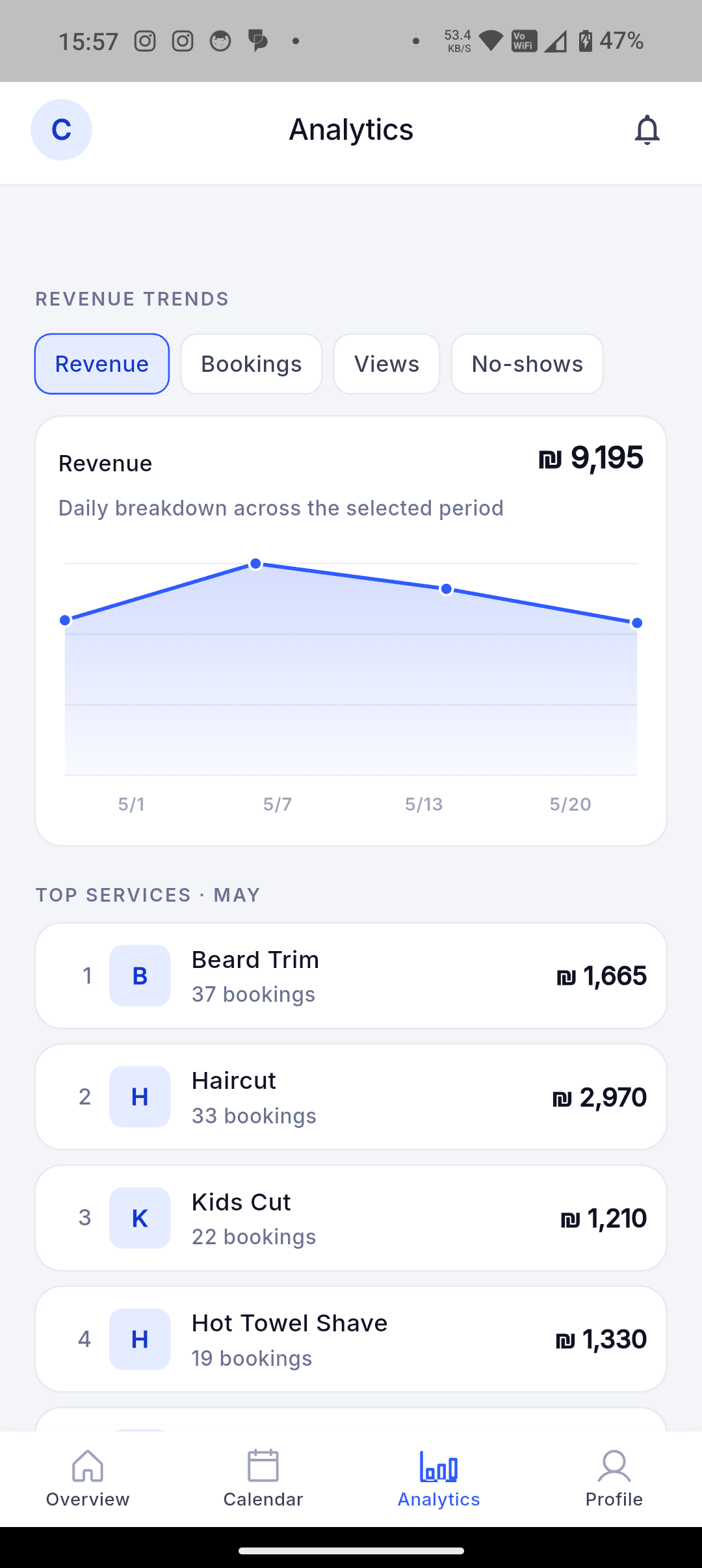
- Compare views, impressions, attempts, successful bookings, completed value, cancellations, no-shows, new customers, returning customers, and source details.
- Use those signals to update services, availability, public-page quality, and discovery efforts.
Concrete supported capabilities
Search impressions: A store card was visible in search results. Data source: store_impression analytics events.
Booking attempts: A customer clicked or started the booking action. Data source: attempted_book analytics events.
Successful bookings: A booking was created. Data source: appointment.created events remapped to successful_booking.
Booking conversion: Booking attempts divided by store views for the selected date range. Data source: dorak-analytics StoreStats conversion_rate.
Completed value: Estimated service/order value recorded when appointments or orders complete; it is not proof of online payment collection. Data source: purchase analytics events using metadata.revenue.
Completed appointments: Appointments that reached completed status. Data source: appointment_completed analytics events.
Cancellations and no-shows: Cancellation events and no-show-marked appointments used in platform analytics. Data source: appointment.canceled events and no-show reason metadata.
New and returning customers: New customer signups and users with two or more successful bookings in a range. Data source: user.created and successful_booking analytics aggregation.
Traffic source and source detail: Source labels such as app_customer, web_guest, qr, or ig_bio when present. Data source: source and source_detail fields on booking/order events.
Who uses it
- Booking attempts
- Conversion rate
- No-show activity
- Returning customers
- Traffic source
- Service performance
Screenshot still needed: Best screenshot: owner analytics page with funnel or activity chart from permitted/synthetic data.
Related industries
Related features
Related industries
Understand customer and booking activity through views, impressions, attempts, successful bookings, conversion, completed activity, cancellations, no-shows, new/returning customers, and source signals.
Join Dorak free