Session date and time
How it works
Group-session booking for classes, studios, and workshops
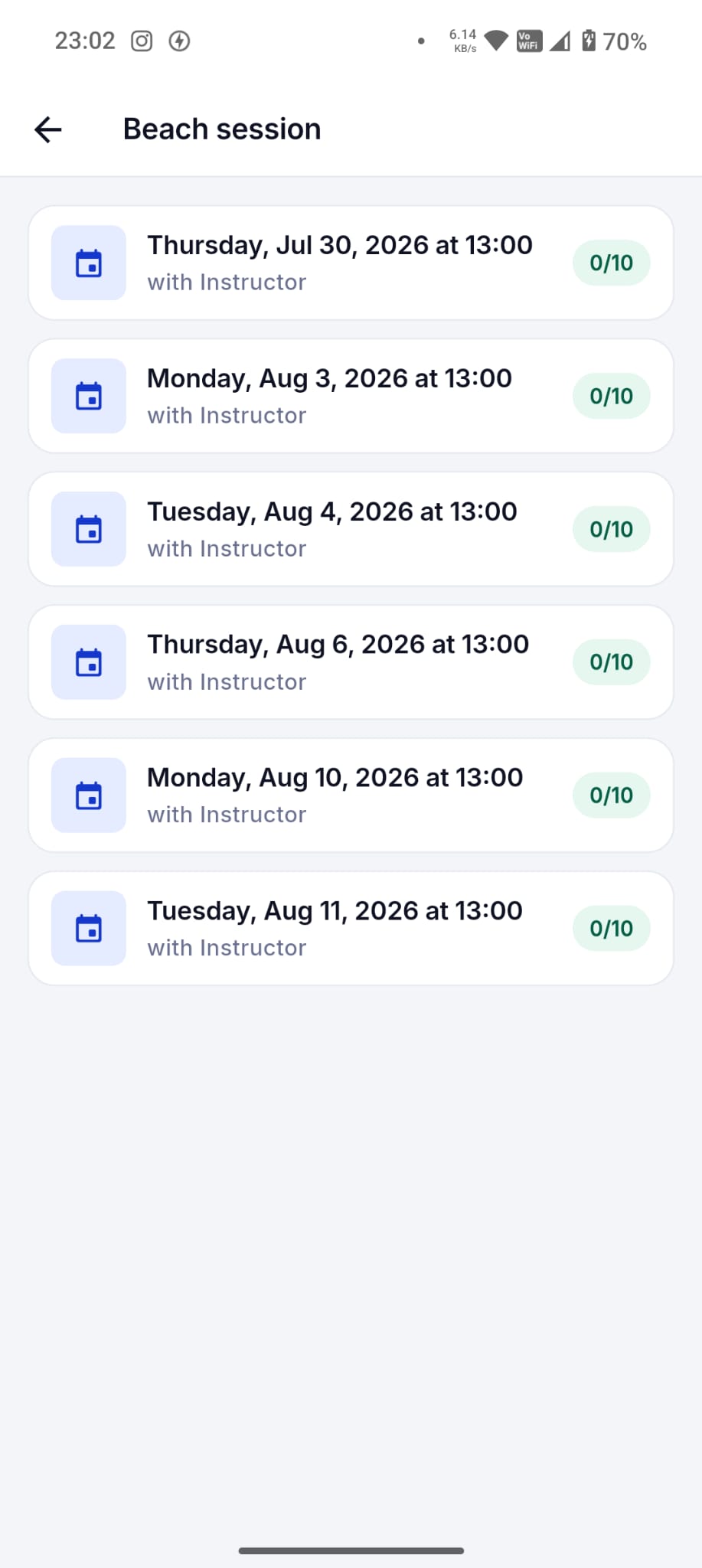
Create classes and shared sessions with instructor, date, time, capacity, remaining seats, and participant reservations.
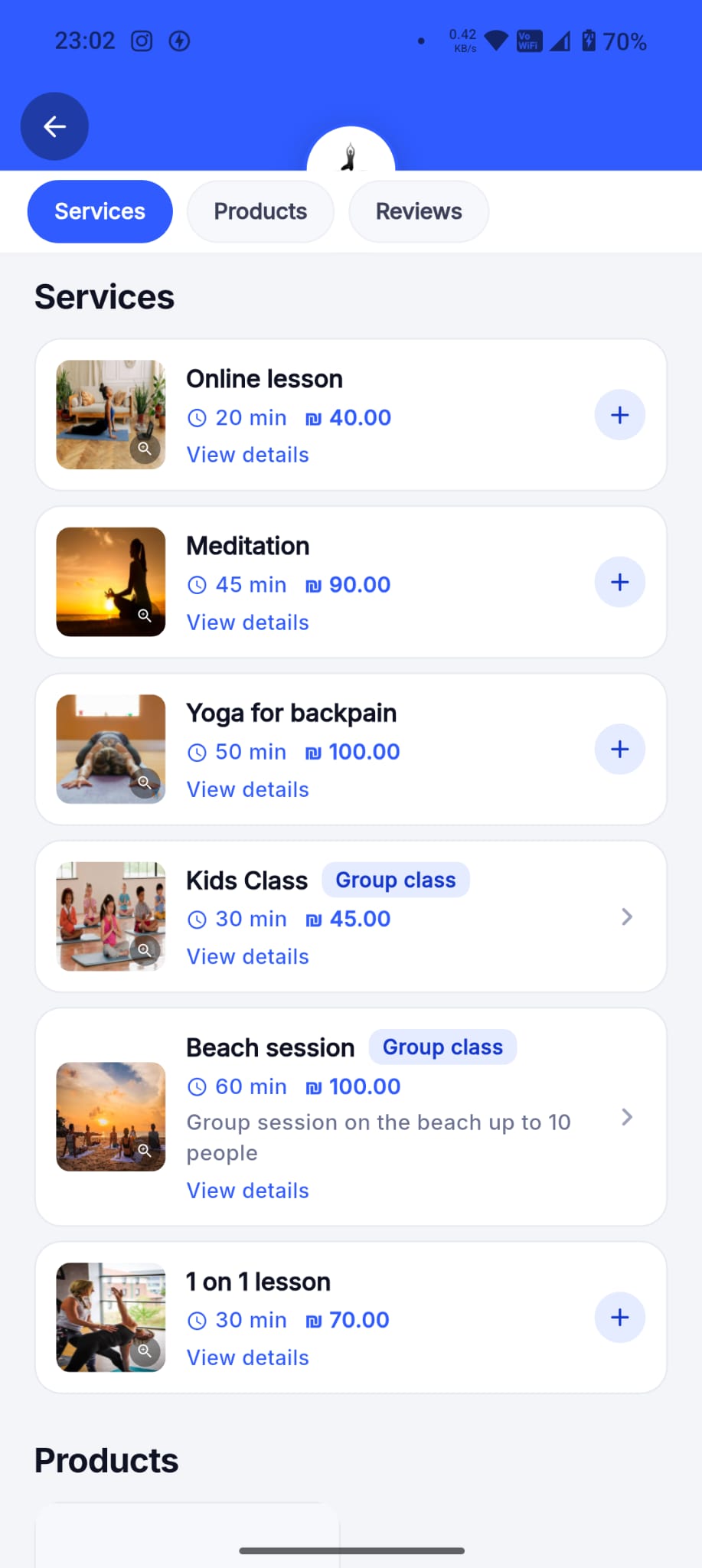
A studio publishes a Pilates class, course, workshop, or group activity with one shared date and time. Customers reserve seats in that same session, and Dorak keeps the participant list and remaining capacity organized.
Best fit
Use this for Pilates, fitness, yoga, courses, workshops, group training, education sessions, and any shared activity with seats.
Customer workflow
- Open the class or studio page and choose a session.
- Review instructor, date, time, price, capacity, and remaining seats where shown.
- Reserve a place before the session fills up and keep the reservation status clear.
Business-owner workflow
- Mark the service as a group session and set the maximum attendees.
- Create one-time sessions or batches for repeated schedules where supported.
- Track attendees, cancellations, remaining seats, and session status separately from one-to-one appointments.
Concrete supported capabilities
Instructor or worker
Seat capacity
Remaining seats
Participant reservations
Participant list
Batch creation for repeated schedules
Session cancel and reschedule flows
Who uses it
- Pilates
- Fitness
- Yoga
- Workshops
- Courses
- Group training
- Educational sessions
Related industries
Pilates and fitness studios
Create scheduled group sessions, set capacity, and let participants reserve their places.
Dorak Appointments for Pilates and fitness studiosWorkshops and courses
Create scheduled sessions with instructor, date, time, capacity, and participant reservations.
Dorak Appointments for Workshops and coursesRelated features
Related industries
Create classes and shared sessions with instructor, date, time, capacity, remaining seats, and participant reservations.
Join Dorak free