Appointment reminder-related flows where enabled
How it works
Reminders and notifications in Dorak
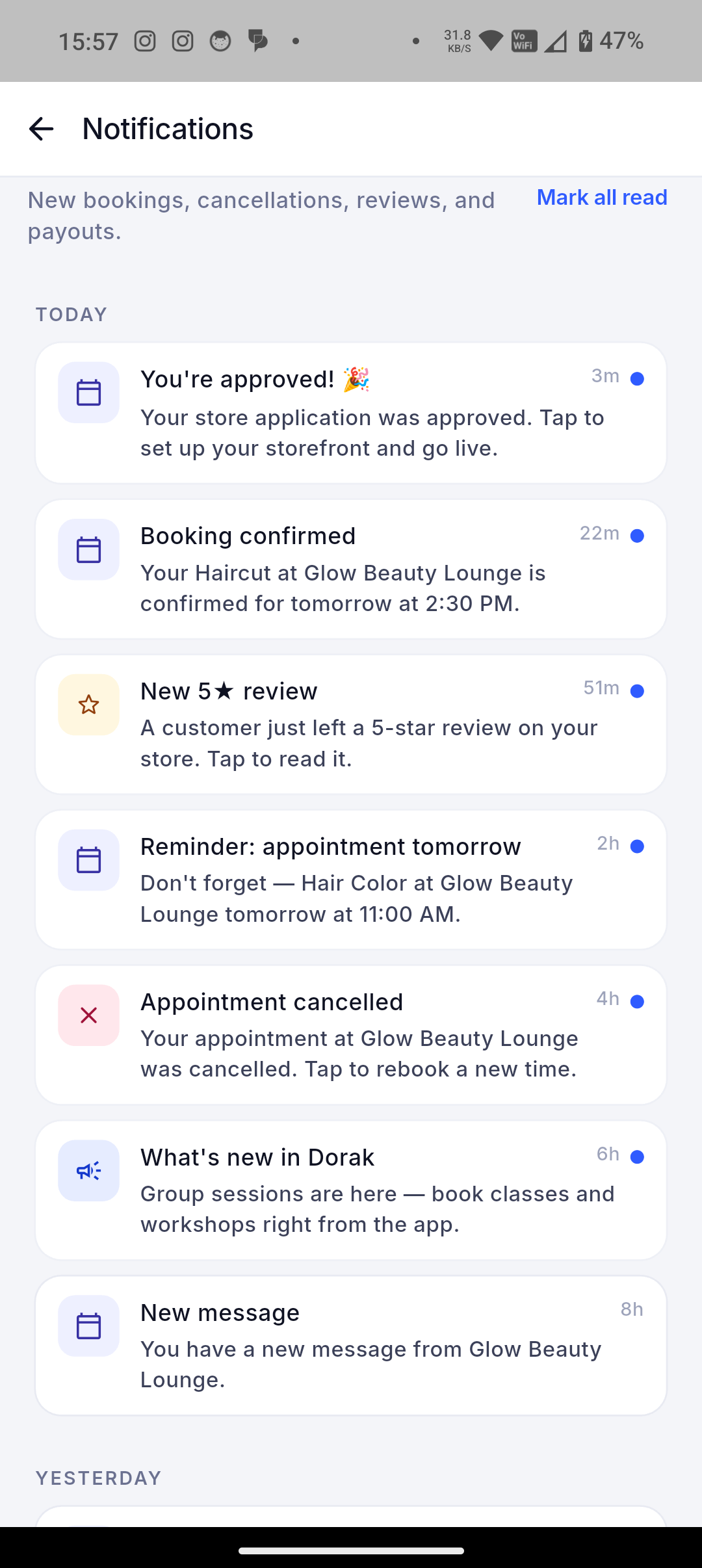
Reminder-related and status notification flows help customers and owners keep track of appointments, group sessions, trips, orders, requests, and changes through enabled channels.
Dorak connects booking and order status changes to notification and reminder-related flows. Delivery depends on the workflow, customer type, app setup, guest flow, backend configuration, and enabled notification channel.
Best fit
Use this when owners want fewer manual follow-ups around upcoming visits, session seats, trip departures, product requests, scheduled preorders, and status changes.
Customer workflow
- Book, reserve, or request through a Dorak business page or app flow.
- Receive supported reminders or status notifications where the channel and setup allow it.
- Return to the booking, order, trip, session, or request status when action is needed.
Business-owner workflow
- Keep offerings, schedules, trip/session dates, order status, and customer contact context accurate.
- Use owner surfaces to approve, decline, cancel, reschedule, mark complete, mark no-show, or update request/order status.
- Avoid relying on unsupported channels: Dorak does not publicly claim full WhatsApp automation or Google Calendar synchronization.
Concrete supported capabilities
Session lifecycle and attendee notification flows where enabled
Trip/event reminder and status flows where enabled
Order and price-request status notifications where enabled
Push notifications where customer app setup allows it
Guest SMS status links where backend configuration supports them
Reminder availability may vary by workflow, customer type, business setup, and channel
No full WhatsApp automation or external calendar synchronization claim
Who uses it
- Appointment reminders
- Class updates
- Trip updates
- Order status
- Price request status
- Guest status SMS
Screenshot still needed: Best screenshot: owner reminder/notification settings or customer notification/status screen.
Related industries
Barbers
Let customers choose a service, worker, date, and available time without interrupting a haircut.
Dorak Appointments for BarbersHair salons
Publish services with durations, prices, workers, and availability so customers can self-book salon appointments.
Dorak Appointments for Hair salonsNail and lash salons
Show service choices, appointment length, price, and available slots from one public salon page.
Dorak Appointments for Nail and lash salonsPilates and fitness studios
Create scheduled group sessions, set capacity, and let participants reserve their places.
Dorak Appointments for Pilates and fitness studiosTravel agencies
Publish destinations, departure and return dates, itineraries, pricing, and available seats.
Dorak Appointments for Travel agenciesBakeries and home bakers
Accept scheduled orders and preorders while keeping requested dates, quantities, and notes organized.
Dorak Appointments for Bakeries and home bakersRelated features
- Automated reminders for appointments, sessions, trips, and orders
- Appointment management for local businesses
- Group-session booking for classes, studios, and workshops
- Trip and tour reservations for travel businesses
- Scheduled preorder management for bakeries and food businesses
- Product questions and current capabilities
Related industries
Reminder-related and status notification flows help customers and owners keep track of appointments, group sessions, trips, orders, requests, and changes through enabled channels.
Join Dorak free